Folder Where can I find the live chat support?

Live Chat Support is a direct communication channel that allows UrbanSoft users to contact the support team through the UrbanSoft platform.


What Can I Do?

With Live Chat Support, you can:

  • Ask questions about UrbanSoft

  • Request assistance when you have an issue

  • Communicate directly with the support team

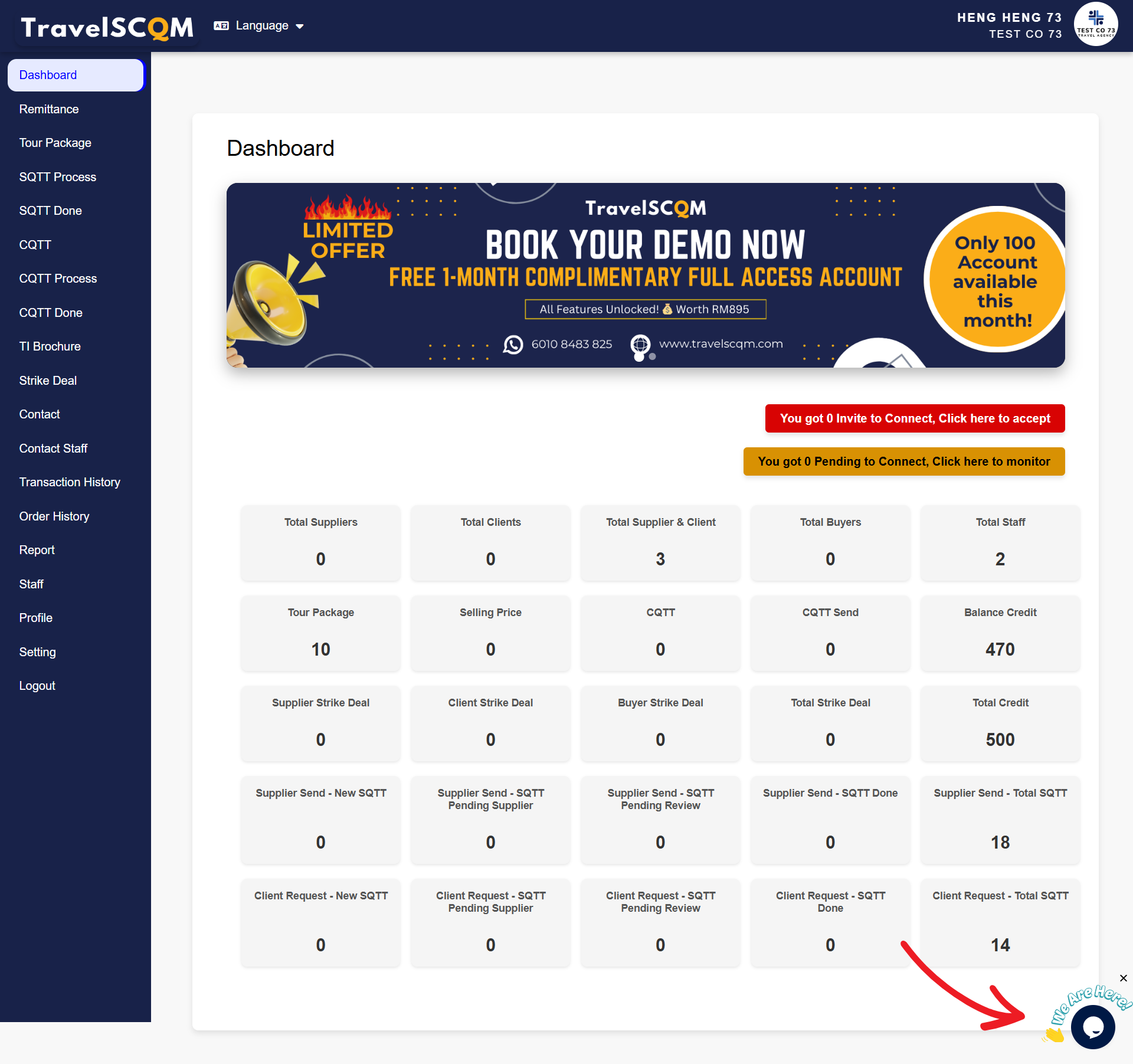
  • Once you log in to your UrbanSoft account, you will see the live chat icon located at the bottom right corner of the page

  • Click the icon to start a conversation with UrbanSoft customer care


Live Chat Support is available for Launch users and above.


Example

If you are using UrbanSoft and need help with a feature or encounter a problem, you can open Live Chat and send your question directly to the support team.


Important Notes

You need to log in to your UrbanSoft account to use Live Chat Support.

Starter users can contact UrbanSoft support by email at care@urbansoft360.com.

Please note that the live chat support only available on our office hours, Monday to Friday (9am to 6pm), Saturday (9am to 1pm), time is refer to Kuala Lumpur time zone.

The live chat feature is only available to users on the Launch user or higher. To enable this feature, you will need to upgrade your subscription plan. Please refer to How to upgrade/downgrade my subscription plan? for detailed instructions.

Book an appointment with TravelSCQM
Footer